Permanent link to this release
New feature
See what is new in BotSpot
Open Changelog from the footer to browse verified updates, screenshots, access details and instructions.
Why it matters: Find useful changes and understand how to try them without searching through announcements.

Previously: Product updates did not have a public, searchable home linked from the website.
Who benefits: Everyone exploring or using BotSpot
Availability: Public; no subscription or sign-in required
Only curated, verified releases are listed; this is not a list of unfinished development work.
- Open Changelog from the footer.
- Read an update and follow its try-it link.
Improvement
Keep your chart and AI conversation within reach
Charts use a compact phone toolbar, an actions menu and a resizable docked conversation. The trade menu closes when opening the account picker, and long profit/loss labels fit the toolbar.
Why it matters: Keep the chart visible while researching it and reach the controls without overlapping panels.
Previously: The chart workspace and its controls could compete for space, especially on a phone or beside a large chat panel.
Who benefits: People researching charts on a computer or phone
Availability: Existing Charts access; no subscription entitlements changed
Broker connections, trading permissions and market-data access still apply. Trading controls do not guarantee that an order has filled.
- Open Charts and choose a symbol.
- Use the phone actions menu or resize the docked chat on desktop.
- Use Trade to review the account and order before approving it.
Improvement
Explore the Bootcamp with a clearer offer and trailer
The Bootcamp page groups the promise, course facts, enrollment choice and trailer with responsive spacing. My Courses remains the home for enrolled lessons and live-class access.
Why it matters: Understand the training and next step before enrolling, then return to your course from one place.
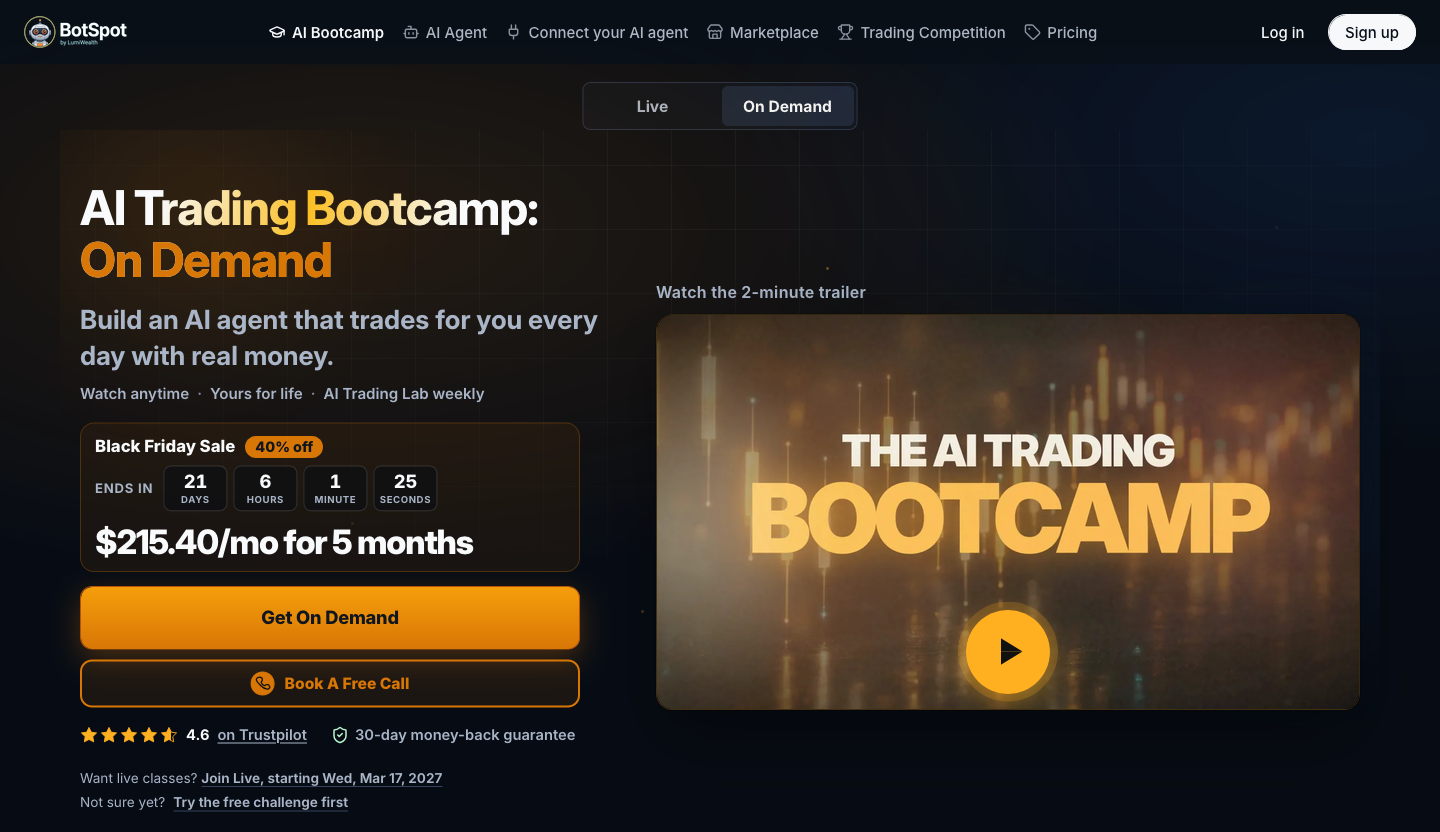
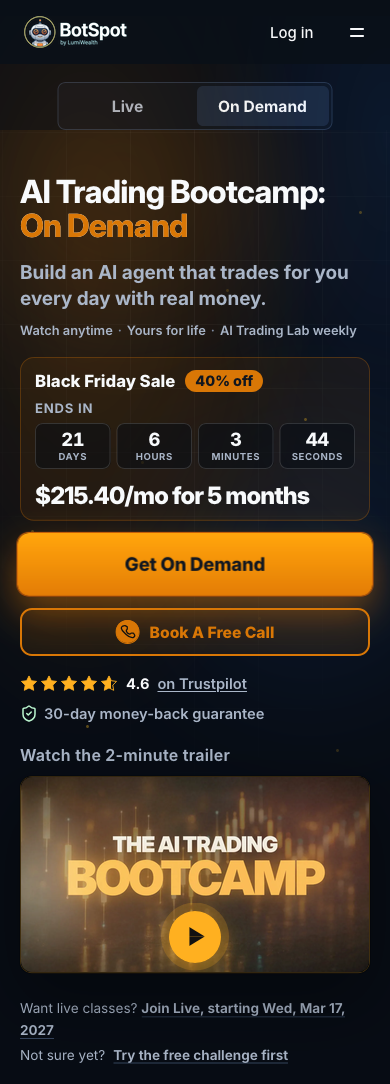
Previously: The course offer, trailer and enrollment choices were harder to scan together on smaller screens.
Who benefits: People considering AI trading training · Enrolled course members
Availability: Public course information; paid course access is required for member lessons
The page describes the current offer. Enrollment and course access follow the selected course and checkout terms.
Screenshots preserve the offer at capture time. Current prices, dates and terms are shown on the live course page.
- Open the Bootcamp page and watch the trailer.
- Review the live and on-demand choices.
- If already enrolled, open My Courses from Learn.
Improvement
Share an account with the context you choose
Owners can choose which account performance, positions, filled trades, open orders and quantities a recipient may see, and explicitly turn account-value access off. Existing links keep their stored settings.
Why it matters: Give viewers useful account context while keeping control over what is disclosed.
Previously: Owners could not explicitly control account-value access from every sharing screen, and regenerating a private link needed clearer confirmation.
Who benefits: Account owners sharing results · People invited to view a shared account
Availability: Existing account sharing access; no subscription entitlements changed
Only explicitly granted fields are returned. Existing shares are not silently broadened; account identifiers and private code stay protected.
The shared account page retains its percentage-based presentation; this update does not add the newer dollar-value page layout.
- Open an account you own.
- Open its sharing controls and review the visible permissions.
- Share the link only after confirming what recipients may see.
Fix
Review the exact strategy files that were saved
Saved Python edits report compilation and revision evidence and receive an independent review of the final saved files.
Why it matters: Understand what was saved and catch syntax or incomplete-edit problems before treating an edit as ready to run.
Previously: A strategy edit could receive feedback that did not clearly identify the exact saved revision or its compiler result.
Who benefits: People editing saved Python strategies with BotSpot AI
Availability: Existing AI strategy editing access; model funding and account entitlements still apply
Compilation and code review are not a promise of trading results. Review the saved strategy and validate it before live use.
- Open your saved strategy and ask BotSpot AI for the edit.
- Inspect the final saved revision and review result.
- Validate the strategy before using it with a live account.
Fix
Review and edit the actual entry of an options bracket
The review reads and edits the actual entry while preserving both option legs, take-profit and stop-loss orders.
Why it matters: The order you review and approve keeps its intended entry and attached exits.
Previously: The editable fields of an options bracket could show Market for a debit entry and put price edits outside the entry.
Who benefits: People reviewing options bracket orders
Availability: Existing trading access; broker and account permissions still apply
Approval is still required. Broker acceptance and actual fills are separate outcomes.
- Open the review for your intended options bracket.
- Check its buy and sell legs, entry type, price and attached exits before approving.
Fix
An invalid approval link no longer interrupts the API
Invalid approval links show the existing unavailable state while the API continues serving other requests.
Why it matters: A broken link stays a single failed request instead of disrupting other people using BotSpot.
Previously: An approval link with an invalid identifier could interrupt the backend instead of showing an unavailable request.
Who benefits: Everyone using BotSpot · People opening approval links
Availability: All existing users; no subscription entitlements changed
Invalid or unavailable actions cannot be approved. Normal authentication and ownership checks still apply.
- Continue using BotSpot normally.
- Open only approval links for actions you intended; an invalid link will show that the request is unavailable.